How PHP Error Handling Exceptions and the Logging Triad Work
PHP error handling separates detection, display, and logging: production must log everything but display nothing, using E_ALL without E_DEPRECATED or E_STRICT.
The Root Cause of Production Error Storms
A staging server that dumps a stack trace onto a live South Florida real estate booking page has one root cause: the PHP error handling, exceptions, and logging triad was configured in three different places and none of them agree. The engine detects errors. The INI controls display. The application framework overrides both. The result is leaked file paths, SQL fragments, and session tokens visible to anyone who triggers a notice. Fix the triad first. Then write a single custom handler.
The correct production error_reporting bitmask is E_ALL & ~E_DEPRECATED & ~E_STRICT. That bitmask tells the engine to detect every possible condition except deprecation notices and strict standards warnings. Those two categories produce noise that fills log storage without actionable signal in a deployed application. E_DEPRECATED flags features scheduled for removal in a future PHP version. E_STRICT, a legacy constant still present in many codebases, suggests interoperability improvements that matter during development but not at runtime.
Continue with the section overview or a closely related question:
- PHP language
- How do PHP classes and interfaces work?
- What are attributes, enums and readonly properties?
PHP Error Handling, Exceptions, and Logging: The Triad That Decides What Survives
The triad is three directives that operate independently. error_reporting sets the bitmask of error levels the engine will raise. display_errors is a boolean that writes error messages into the response body. log_errors is a boolean that writes them to the file or syslog path specified by error_log. One directive turned on without the other two produces exactly the behaviour South Florida agencies complain about: a blank white screen because display_errors is off and log_errors is also off, so the fatal error vanishes without a record.
Production INI configuration sets display_errors to Off and log_errors to On. The error_log path must point to a file the PHP-FPM worker can write to, not a directory that requires root. When the triad is correct, a visitor sees a generic error page while the full backtrace lands in a log that the operations team can tail. A common failure in South Florida hosting is that cPanel's MultiPHP INI Editor sets display_errors to On by default for a subdirectory, overriding the php.ini set at the account level.
South Florida Staging Leaks and the Display Errors Override Problem
South Florida staging setups leak stack traces because display_errors is overridden at the application level or the framework debug mode is not set per context. A Laravel application deployed with APP_DEBUG=true in its .env file will render a full Whoops page regardless of INI settings. A Symfony application with APP_ENV=dev will do the same. Do not edit php.ini. Set the environment variable correctly in the staging host, then verify that the framework's error handler respects it.
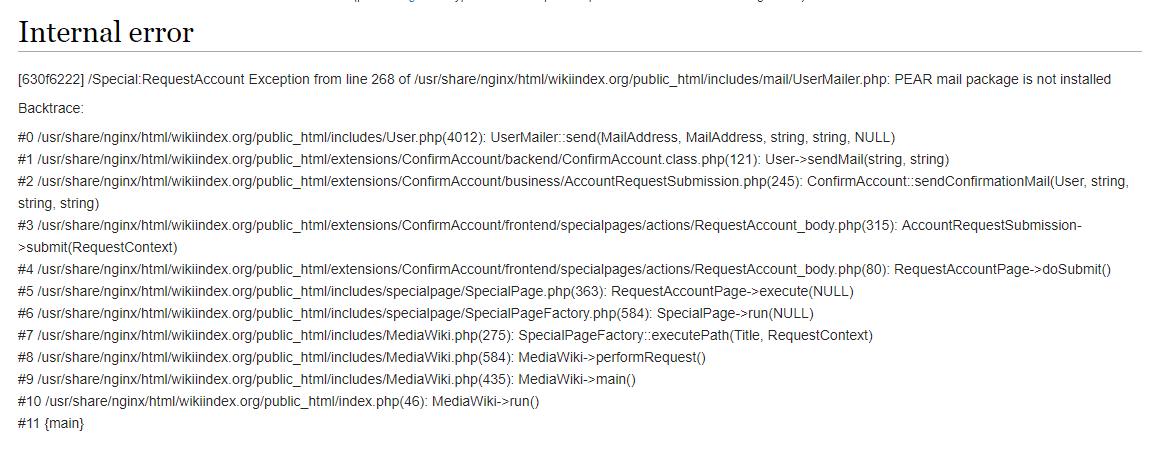
The claimed-versus-real gap is this: a developer runs phpinfo() on staging, sees display_errors is Off, and declares the server secure. The application then calls ini_set('display_errors', 1) in a boot file, or the framework kernel checks an APP_DEBUG variable still set to true from the last deploy. The real check is to trigger a deliberate notice on the staging domain and observe the response. If a file path appears, the triad is broken.
Verifying the Triad in One Request
Create a route that divides by zero or accesses an undefined array key. Deploy it to the staging environment. Request it from a browser that is not on the office IP whitelist. If you see a file path or a stack trace, two things are wrong: display_errors is effectively on, and the IP restriction that should gate debug output is absent. Fix the environment variable first, then remove the debug route.
PHP error_reporting Production Settings: The Bitmask That Quiets the Noise
The bitmask E_ALL & ~E_DEPRECATED & ~E_STRICT evaluates to the integer value that enables all error levels except the two that produce non-actionable log volume. On PHP 8.3 and later, E_STRICT is no longer defined as a distinct constant, but the bitmask remains valid because the bitwise NOT operation on an undefined constant returns zero, effectively ignoring it. Apply the production setting in the php.ini file loaded by the PHP-FPM pool, not in a per-directory .user.ini that a deploy script might overwrite.
Many South Florida shared hosts preset error_reporting to E_ALL & ~E_NOTICE. That setting suppresses notices, which means accessing an undefined variable does not even reach the log. A production application should log notices and warnings. They surface bugs that do not halt execution but corrupt data silently: a misspelled variable name inside a conditional, a missing array key that defaults to null and then passes a type check. Set the bitmask to the explicit value and test that a trigger_error call at the E_NOTICE level appears in the configured error_log.
PHP Throwable Interface Hierarchy: Why Catching Throwable Is Rarely Correct
PHP 7 introduced the Throwable interface as the parent of both Error and Exception. The hierarchy is Throwable at the top, with Error and Exception as its two direct children. Error covers engine-level failures: TypeError, ParseError, and AssertionError. Exception covers application-level failures: LogicException, RuntimeException, and their subclasses. A catch block that catches Throwable swallows both, including fatal engine errors that should terminate the request immediately.
Catching Throwable is rarely correct because it traps errors that indicate a corrupted engine state, such as a memory exhaustion error or a type error on a scalar parameter. Those errors should propagate to the registered handler, log, and exit. Catching them and continuing execution leads to unpredictable behaviour: a half-written database transaction, a session that was never committed, an output buffer left open. The only legitimate case for catching Throwable is a logging shim that records the error and then rethrows it, never a business-logic catch block.
Write custom exception classes that extend Exception, not Throwable. Use a set_exception_handler call to define the last-chance handler that converts any uncaught Throwable into a log entry and a generic error response. The handler receives the Throwable instance, writes its message and stack trace to the configured PSR-3 logger, and sends an HTTP 500 status code.
PHP display_errors vs log_errors: The Two Output Channels That Must Never Cross
display_errors and log_errors control two separate output channels. display_errors writes error messages into the HTTP response body, where they become visible to the end user. log_errors writes them to the error_log file or syslog, where only the operations team can read them. The directives are independent: turning one on does not affect the other. A server with display_errors On and log_errors Off shows errors to visitors and keeps no record. A server with both On shows errors to visitors and keeps a record, which is safe only on a development machine behind a firewall.
In production, the rule is display_errors Off, log_errors On. The SAPI error format differs between the two channels: display_errors renders HTML with line breaks and font styling if the html_errors directive is On, while log_errors writes plain text. The plain-text format is what a log aggregation tool can parse. If the error_log path is not writable, PHP silently discards log entries. Test writability by sending a deliberate E_USER_NOTICE via trigger_error and confirming the line appears in the log file within one request.
PHP Exception Best Practices: A Custom Hierarchy and a Finally Block
Build a custom exception hierarchy that extends the SPL exceptions supplied by the engine. A root namespace exception class that extends Exception, then domain-specific subclasses: a DatabaseException, a ValidationException, an ApiClientException. Each subclass carries a context array in its constructor so the log entry includes the relevant identifiers: the customer ID, the query string, the third-party request payload. A generic Exception with a string message tells the on-call developer nothing at 2am. A DatabaseException with the query, bindings, and connection name tells them exactly what to fix.
Every try block that allocates a resource must have a finally block. The finally block runs regardless of whether the try block returned, threw, or completed normally. Use it to close file handles, release locks, and commit or rollback transactions. A common South Florida production bug is a database transaction that begins in a try block, throws an exception, and never issues a rollback because the catch block only logs and returns. The connection pool retains the open transaction until the request terminates, exhausting available connections.
Register a set_exception_handler function that catches anything the application code missed. That handler should use a PSR-3 Logger Interface implementation, typically Monolog, to write the full exception with a stack trace and request metadata. Then it should clear any output buffers, set a 500 status code, and render a generic error template. Never include the exception message in the template. The user needs to know something went wrong and the incident has been logged. They do not need the table name and the line number.
Logging Infrastructure That Survives a Traffic Spike
The error_log directive points to a file path or the string "syslog". A file path is the simplest configuration and works on every South Florida shared host and DigitalOcean droplet. The limitation is that a single file grows without bound unless logrotate is configured. A PHP-FPM pool that writes notice-level lines during a bot traffic spike will fill the available disk. Rotate the log daily and retain seven days of history, compressing older files. The logrotate configuration belongs in the server provisioning script, not as an afterthought.
Monolog is the de facto standard PSR-3 implementation in the PHP ecosystem. It ships with handlers that write to rotating files, syslog, Slack, and cloud logging services. A South Florida application handling healthcare data under HIPAA requirements must not send log entries containing protected health information to a third-party service. Configure Monolog with a rotating file handler for local storage and a separate handler for sanitised metrics only. The handler that writes to an external service must run the log record through a processor that strips any field matching a configured list of sensitive keys before transmission.
The Staging Trace Leak: Verifying the Environment Gate
The most common South Florida production incident is a stack trace appearing on a publicly accessible staging URL. The mechanism is always the same: the framework boots in debug mode because an environment variable or a .env file was not updated during the last deploy. The web server's virtual host configuration sets an environment variable like APP_ENV=production, but the application reads from a .env file that still says APP_ENV=development. The .env file wins because the dotenv library loads after the server variables and overwrites them unless the framework is configured to prefer real environment variables in production.
The durable fix is to remove the .env file from the staging and production deployment pipelines entirely. Real environment variables set by the web server or the container orchestrator are the twelve-factor standard. Laravel's config caching command, php artisan config:cache, bakes the environment variables into a single file that the framework reads on every request without touching the .env file. Run that command as the last step of the deploy script, after the environment variables have been set, and the problem disappears permanently.
More in this guide
Modern PHP Language Reference for South Florida DevelopersHow PHP Type Declarations Coercion and Strict Types BehaveHow PHP Classes Interfaces Traits and Visibility Rules Work.
Common Questions
What is the correct production error_reporting value?
E_ALL & ~E_DEPRECATED & ~E_STRICT. It enables all error levels except deprecation notices and strict standards warnings, which produce noise without actionable signal in a deployed application.
Why does my staging server still show stack traces after I edited php.ini?
The framework or application code is overriding the INI setting. Check APP_DEBUG in Laravel or APP_ENV in Symfony, and remove any ini_set('display_errors', 1) calls in bootstrap files.
Should I catch Throwable in my application code?
Almost never. Throwable catches engine errors that indicate a corrupted state. The only legitimate use is a logging shim that records the error and rethrows it immediately.
How do I log errors without writing to a file on shared hosting?
Set log_errors to On and error_log to "syslog" in your php.ini, then configure a Monolog SyslogHandler. The host's syslog daemon handles rotation and disk management.